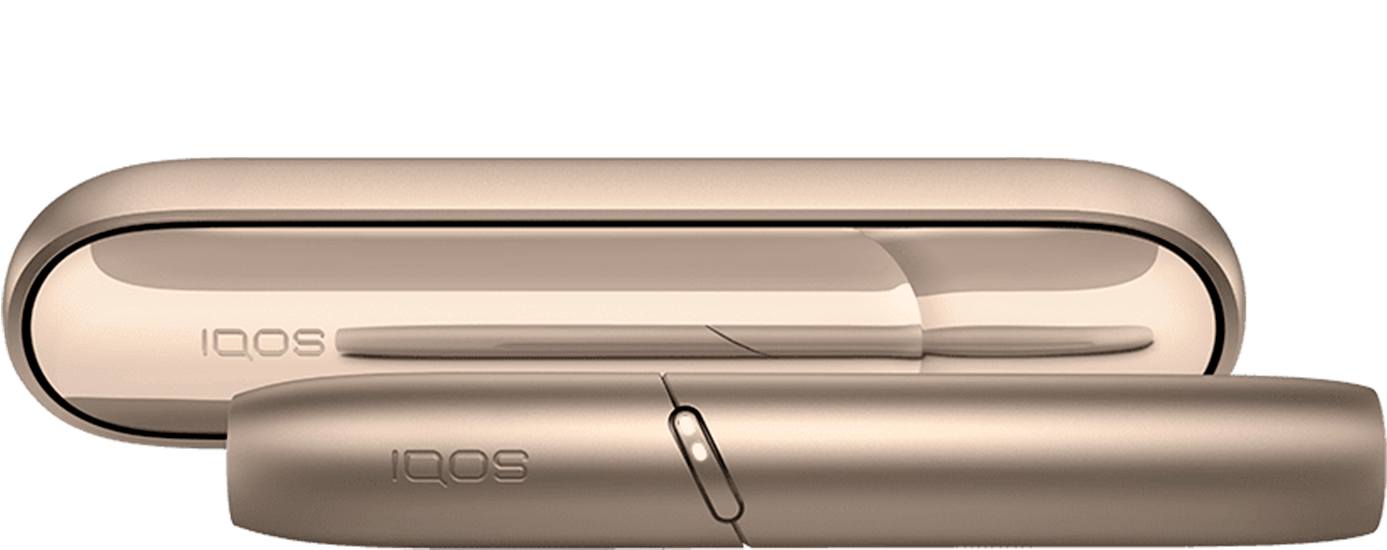
Bonds by IQOS Frequently Asked Questions



BONDS By IQOS
Every BONDS 2 by IQOS device comes with a 12-month warranty from the date of purchase. Repair or replacement of any components which are defective in terms of material or workmanship when used in accordance with the associated BONDS 2 by IQOS User Guide and which are subject to a valid voluntary warranty claim.
If repair is not possible, replacement will be provided with a product or respective component of equivalent functionality. To the extent permitted by local law, the replacement colour and/or model are subject to such colour and/or model availability.
You can learn more about the warranty for your device at iqos.com/support/warranty – (warranty page incl. digital Warranty Card)
Every BONDS 2 by IQOS device comes with a 12-month warranty from the date of purchase.
- Damage caused by normal wear and tear.
- Cosmetic damage (such as scratches, dents, broken plastic etc.).
- Damage caused by misuse, power surge, improper handling, liquid contact or fire.
- Malfunction caused by using the device with non-compatible products.
- Damage or malfunction caused by attempts to open, modify and repair, either by a user or by a service provider not accredited by the manufacturer.
- Damage or malfunction caused by failure to use as described in the associated BONDS 2 by IQOS User Guide.
For more details, please consult iqos.com/support/warranty – (warranty page incl. digital Warranty Card)
Every BONDS 2 by IQOS device comes with a 12-month warranty from the date of purchase. That doesn´t need an activation.
If your device is registered, simply check the device details already linked to your profile. You can also reach out to us via online chat, in-store, or phone, and we’ll help you.
Even products of the highest quality can sometimes stop working, and we know how annoying it is when you can't use your BONDS 2 by IQOS device.
Before making an warranty claim, we have a few resources which may provide a quicker fix:
• Start online troubleshooting to resolve common issues at any time.
If things still seem a bit off.
• Visit an IQOS Store or any of our qualified partner service points for in-person assistance.
• Connect with IQOS Support through our online chat or over the phone to get personalized assistance and find out what to do next.
Registering your device will make the support process easier. In the absence of the device details, we may ask for proof of purchase to validate the warranty status of your device
*Since AC Power Adaptor is not supplied, you can either buy an IQOS™ AC Power Adaptor at IQOS™ stores or use a certified AC Power Adaptor (with the safety certification mark) that: delivers 10W (2A, 5V).
When a non-compatible Power Adaptor is used, Status Lights blink slowly and charging may take longer than 2h.
BONDS 2 by IQOS uses lights + vibrations to guide you:
- 1st vibration = preheating started (status lights pulse).
- Upon 2nd vibration = device is ready to use.
- End of use: one vibration + one white status light pulsing = 30sec remaining. How to use
After 3 consecutive uses, the device automatically cools down and will not start a 4th session immediately. You’ll see two waves of running status lights which indicate the cooling down process. It will take 4 minutes before you can use your device again.
It’s normal for the device to feel warm during use and/or charging. If exposed to sun/heat source, all lights will pulsate twice and the device will vibrate two times every time you press the button for a device status check — bring it back to ambient temperature. Ensure the device operates in the temperatures between 0-40°C, avoid direct sunlight/heat sources.
We recommend charging only with a certified AC Power Adaptor* and a charging cable. Using other types of charging outlets - smartphone chargers, car phone chargers, laptops or portable power banks, may cause low charge efficiency or reduced battery life. How to charge FAQ
*Since AC Power Adaptor is not supplied in the toolkit, you can either buy an AC Power Adaptor at IQOS stores or use a certified AC Power Adaptor (with the safety certification mark) that:
- delivers 10W (2A, 5V)
- Safety Certification Mark is indicated on the power adaptor
If charging with a certified AC Power Adaptor* and a charging cable does not resolve the issue, please, contact our Customer Support via:
- phone: on 800694767 Daily from 9:00 AM to 7:00 PM.
- LiveChat on IQOS.com: Just send them a message and get your questions answered.
- e-mail: contact.ae@iqos.com
If you experience less aerosol compared to your previous experiences, please ensure you check the following:
- If you only refer to the first puff, be assured that the first puff always has low aerosol and no taste. There is no issue with your device or tobacco stick.
- Ensure you use ROUNDHEAT STICKS and not any other products.
- Check the heating chamber for remnants. Remove the remnants and reinsert the stick.
- Ensure the ROUNDHEAT STICKS is correctly inserted in the device - to the line on filter ensuring BLENDS or BEYOND logo is facing outside. *
- Ensure the stick is not broken during the insertion.
-
You allow the device to pre-heat as per instructions in the User Guide:
- Press the button → 1st vibration: pre heating starts. Wait for the next vibration.
- After 2nd vibration your device is ready to be used. How to use
During use, pause between puffs to allow proper heating and aerosol generation.
If none of the above solutions helps, consider the following options:
- phone: on 800694767 Daily from 9:00 AM to 7:00 PM.
- LiveChat on IQOS.com: Just send them a message and get your questions answered.
- e-mail: contact.ae@iqos.com
*If you insert the tobacco stick up side down, insertion is very hard and almost impossible. As a result, there is no aerosol & the stick will get stuck.
Reach out to us via online chat, in-store, or phone, and we’ll help you.
Something we haven’t covered?
There are several ways you can reach out for support.

Phone
Call our Infoline for more timely and specific answers to your questions. We look forward to helping you!
Daily
9:00-19:00

Use the live chat
Chat with IQOS Experts in real time. Just send them a message and get your questions answered.

Connect on Facebook
Feel free to message with any questions and get them answered. Feel free to message with any questions and get them answered.

Send a tweet
Tweet your questions to get them answered. Tweet your questions to get them answered.

Send an email
Send your questions, they'll be answered shortly.

Youtube
Visit the IQOS Customer Care channel Visit the IQOS Customer Care channel


